October 16, 2026
HR & Payroll Software for Hotels & Hospitality Businesses in India
HRMs Software, Payroll, Payroll software
ReadDiscover Why OpportuneHR is the best HRMS Software in India! Schedule a Demo OR Call us @ +91 7700-954949


 Visited 1 times


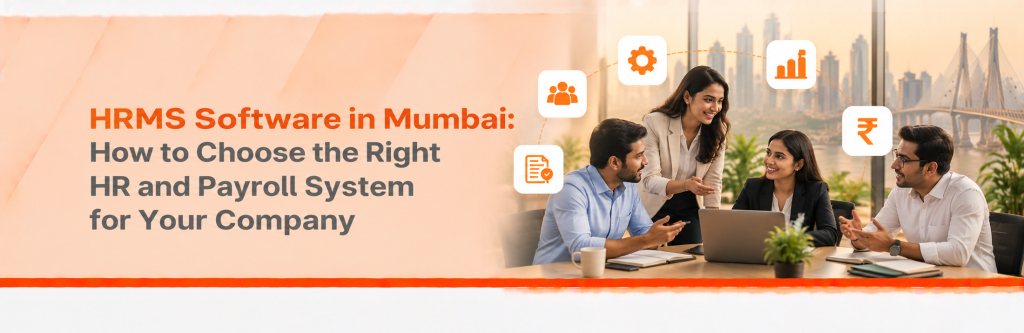
Quick answer: The right HRMS software in Mumbai handles Maharashtra compliance, attendance across sites, hybrid and field staff, and payroll in one system. Shortlist vendors on four things: how accurate their statutory deductions are, how well attendance fits the way your teams work, data security and exit terms, and total cost at your size two years from now.

An HRMS puts employee records, attendance, leave, payroll and reports in one system. It replaces the Excel sheets and separate payroll tool most growing companies run on. Good HRMS and payroll software in Mumbai also helps businesses manage employee records, attendance and payroll processes as rules and headcount change.
You’ve probably outgrown spreadsheets if:
“Most companies don’t come to us because of a feature. They come after a month when payroll went wrong and nobody could explain why.” Dhwani Mehta, Founder, OpportuneHR
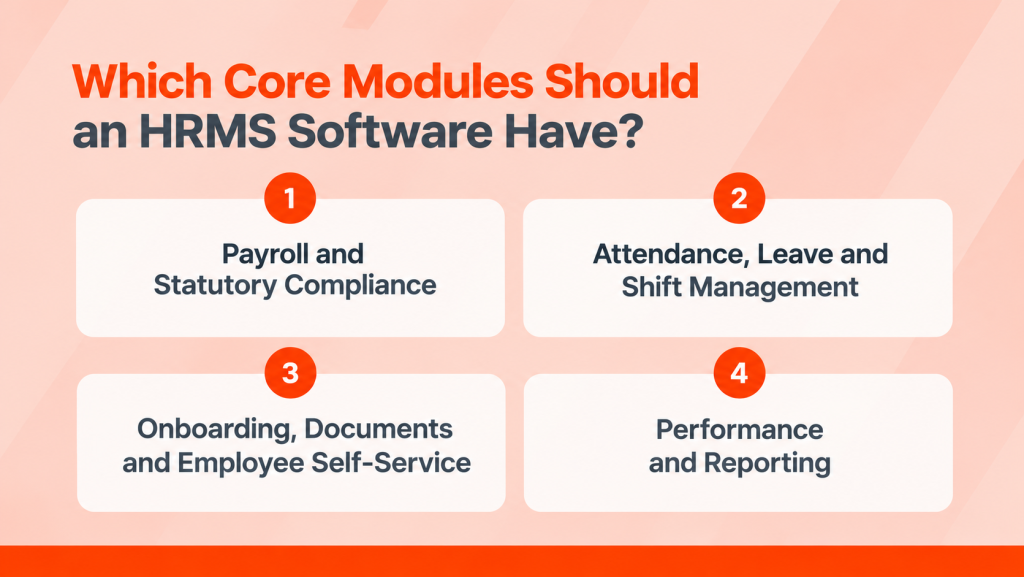
Every HRMS should have four core modules: payroll and compliance, attendance and leave, onboarding with self-service, and performance with reporting. When comparing HR and payroll software in Mumbai, give attendance extra weight. Teams are spread across sites, many work hybrid, and the monsoon disrupts commutes every year.
Payroll should calculate PF, ESI, TDS, Maharashtra professional tax and the Labour Welfare Fund in one run. Businesses evaluating payroll software should also check statutory calculations, payroll reports and the process for updating employee salary details. It should also generate the returns and challans for each. For a detailed checklist, read our guide to buying payroll software in Mumbai.
Mumbai companies rarely work from one building. A typical 150-person firm might have a head office in Lower Parel, a sales team on the road and a warehouse in Bhiwandi. A single biometric machine at the head office covers only a third of that team. For businesses managing employees across offices, warehouses and field locations, hybrid and remote attendance tracking can help HR teams manage attendance records more consistently.
Look for attendance tools that handle:
Why does the monsoon matter to an HRMS? Without a work-from-home option, staff who can’t reach office get marked absent. That leads to loss-of-pay disputes, and HR spends days fixing records by hand.
When attendance, leave and overtime data are managed separately, payroll teams may need to reconcile records manually. Learn how attendance-to-payroll integration can reduce repetitive checks and help HR identify discrepancies before payroll is finalised.
New hires should accept offers, upload KYC documents and submit bank details before day one. Once they’ve joined, employees should see payslips, apply for leave and submit tax declarations on their phones. Each self-service request is one less email to HR.
Look for a system that lets you define KRAs for each role, track progress through appraisal cycles and capture manager reviews in one place. Where relevant, teams should also be able to set and monitor OKRs. Reports should show headcount, attrition, overtime and payroll cost by location and department, without leadership having to build them manually in Excel.
HRMS software for companies in Mumbai must apply three sets of rules: the Maharashtra Shops and Establishments Act, state taxes such as PT and MLWF, and the national Labour Codes. Configure all three correctly before go-live, because mistakes repeat every month after that.
Maharashtra Shops and Establishments Act, 2017. It sets 8 casual leaves a year, credited quarterly, and 8 paid festival holidays. Earned leave can build up to 45 days (Section 18). The HRMS leave module should apply these limits automatically.
Professional tax and MLWF. PT is deducted monthly on a salary slab. Women earning up to ₹25,000 a month have been exempt since April 2023 (Khaitan & Co). For MLWF, the employee pays ₹25 and the employer ₹75, every six months (Deloitte).
The Labour Codes. They took effect on 21 November 2025 and changed how wages, overtime and leave encashment are calculated. Ask any vendor how their system applies the 50% wage rule.
The old advice was that a Mumbai-only company only needs Maharashtra rules. That’s wrong now, because hybrid work brings remote hires. One employee working from Pune stays under Maharashtra’s rules, but one working from Bengaluru falls under Karnataka’s. Your HRMS should apply PT based on each employee’s work location.
Choose cloud HRMS in Mumbai if you’re a small or mid-sized company without a dedicated IT team. Before deciding, compare cloud HRMS vs. on-premise HR software based on implementation costs, security responsibilities, accessibility and long-term maintenance. It costs less upfront, updates for rule changes automatically and works on any device. On-premise suits only companies with strict internal data policies and in-house IT staff to run servers.
| What matters | Cloud HRMS | On-premise HRMS |
| Upfront cost | Low, monthly subscription | High, licence plus servers |
| Setup time | Weeks | Months |
| Updates for new rules | Applied by the vendor | Your IT team installs them |
| Access for hybrid and field staff | Any device, anywhere | Often needs VPN or office network |
| Security responsibility | Shared with the vendor | Fully yours |
| Data location | Vendor’s data centre (ask where) | Your own servers |
Is cloud data safe? It can be, but safety depends on the vendor’s controls, not on where the server sits. The next section covers what to check.
Protect your data at three stages: when it moves into the new system, while it lives there, and when you leave. Most HRMS buyers check the first, assume the second, and forget the third. Your contract should cover all three.
Implementation starts with clean data: employee records, salary structures, bank details, leave balances and year-to-date tax figures. Clean it in your source files before it’s loaded. Then run one or two parallel payrolls to check the results match. Our 90-day HRMS implementation plan covers this step by step.
India’s DPDP Rules make employers accountable for employee data. Most obligations apply from 13 May 2027, including reporting breaches to the Data Protection Board within 72 hours (SCC Online).
Ask every vendor:
The old advice was that data security is the vendor’s problem. That’s wrong now, because the DPDP Rules hold your company responsible, even when a vendor stores the data.
Before signing, confirm that you can export all your data in usable formats like Excel or CSV. Check the notice period too, and whether the vendor deletes your data afterwards. Leaving should never mean losing your payroll history.
The best under 300 employees and clean data, go-live usually takes 2 to 8 weeks. Ask for the timeline in writing, with what each side owns.
Good vendors also offer:
“The fastest implementations are the ones where the software adapts to the company’s policies, not the other way round. We configure for your scenarios before go-live, so your HR team doesn’t rebuild its processes.” Dhwani Mehta, Founder, OpportuneHR
An HRMS should be evaluated on its total cost, not only its per-employee monthly subscription. The final amount can vary based on employee count, selected modules, implementation complexity, integrations, attendance devices, migration requirements and support needs.
Before comparing vendors, ask for a written proposal that clearly separates:
Ask each vendor for a two-year estimate based on your current headcount and expected growth. This gives you a fairer comparison than choosing solely on the lowest monthly price.
Shortlist three vendors, send them your toughest scenarios before the demo, and score their answers on the same scorecard. When comparing providers, use a payroll software comparison guide to assess features, compliance capabilities and the questions to ask during a demo. A demo with the vendor’s sample data shows you the product. A demo with your data shows you whether it fits.
Six questions to ask every vendor:
Your HR team shouldn’t do the migration alone.
The penalty falls on you, not the vendor.
This is where most Mumbai rollouts struggle.
Headline prices hide setup and module fees.
Payroll problems can’t wait for a ticket queue.
Your payroll history belongs to you.
OpportuneHR has built HR and payroll tools for Indian companies for over a decade. More than 250 companies and 2.5 lakh users rely on it every payday.
What OpportuneHR covers:
OpportuneHR configures the system around your company’s HR scenarios before go-live. Its implementation and support team, Opportune.Care, reports a 98% client retention rate. Clients include IT and ITES companies, manufacturers, BFSI firms, healthcare and diagnostic centres, hospitality groups, retailers, manpower services companies and direct sales teams.
Looking for HRMS software in Mumbai that fits how your teams actually work? Talk to the OpportuneHR team. Call or WhatsApp +91 7700-954949, email admin@opportune.in, or book a free demo.
What is the best HRMS for a company in Mumbai?
The best HRMS in Mumbai for your company handles Maharashtra PT, MLWF and Shops and Establishments leave rules. It supports attendance across sites, hybrid staff and field teams, and offers reliable support in payroll week. Compare vendors on two-year cost, data security and exit terms, not feature lists.
How long does it take to implement an HRMS?
For a company with under 300 employees and clean data, implementation usually takes 2 to 8 weeks. Larger companies, or those with several entities and integrations, may need up to 90 days. Run one or two parallel payrolls before go-live to check the results match.
Does the HRMS handle Maharashtra statutory requirements?
A good HRMS should apply Maharashtra professional tax, including the ₹25,000 exemption for women, and MLWF contributions twice a year. It should also follow the Shops and Establishments Act’s leave and holiday rules. Ask the vendor to show each one in the demo, and confirm current rates with official sources.
Can an HRMS support employees across multiple offices?
Yes. A good HRMS sets separate shifts, holidays and attendance devices for each office, while keeping one employee database and one payroll run. It should apply PT by each employee’s work location and report headcount and cost by site. Field staff can punch in on mobile within approved areas.
How do we compare HRMS vendors fairly?
Give every vendor the same scenarios and ask them to demo using your real employee data. Score each one on the same weighted scorecard: compliance, attendance fit, support, data terms and two-year cost. Ask for written quotes and a reference customer of your size and industry.