October 26, 2026
HRMS Implementation in India: A 90-Day Plan for Moving Your Company to HR Software
ReadDiscover Why OpportuneHR is the best HRMS Software in India! Schedule a Demo OR Call us @ +91 7700-954949


 Visited 23 times


“Who is working the morning shift tomorrow?”
“Can we swap these two employees?”
“Why has this employee been scheduled for two consecutive shifts?”
“Someone is on leave. Who can cover?”
If you’ve ever managed shifts, you know that creating a roster isn’t just about putting names into a timetable.
The real challenge is creating a schedule that works in the real world.
Employees take leave. Shifts change. People swap duties. Business requirements change. Someone doesn’t show up. And suddenly, the carefully prepared Excel roster needs to be changed again.
This is where shift management software can make life much easier for HR and managers.

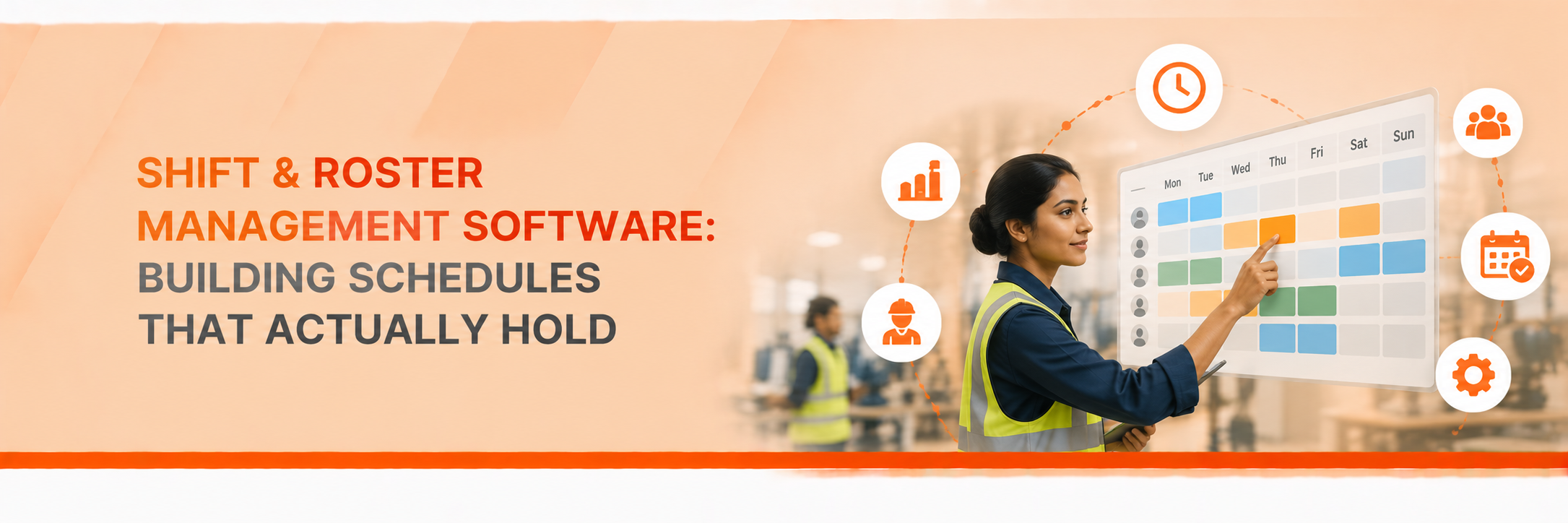
Shift management software helps businesses plan, assign, monitor and manage employee shifts and working schedules from one place.
Instead of maintaining multiple Excel sheets, WhatsApp messages and manual attendance records, managers can create shifts, assign employees, manage weekly offs and track changes through a central system.
But good shift management isn’t just about creating a roster.
It’s about making sure the roster is practical, visible and connected to attendance and payroll.
For a small office with fixed working hours, managing shifts may be relatively easy.
But imagine a business where:
Now try managing all of that in Excel.
It can work for a while.
Until it doesn’t.
One incorrect update can affect attendance, overtime and eventually payroll.
A useful system should help HR move beyond simply creating a schedule.
HR should be able to define shifts based on the organisation’s actual working patterns.
For example:
Once these shifts are configured, managers can assign employees without rebuilding the same information every month.
Nobody wants to create the same roster manually every week.
A good system should allow managers to create recurring schedules and reuse existing patterns.
For example, if Team A follows a particular weekly rotation, the manager shouldn’t have to manually enter every employee every Monday.
The system should do the repetitive part.
HR can then focus on exceptions.
This is where real life usually happens.
An employee calls in sick.
Someone requests a shift swap.
A manager needs an additional person for the evening shift.
A team suddenly needs coverage.
Your roster needs to change.
With shift management software, managers can make changes to schedules while maintaining visibility of who was originally assigned and what changed.
That creates much less confusion than updating an Excel file and sending a message saying:
“Please consider this the revised roster.”
This is one of the biggest advantages of having shift and attendance management together.
The shift tells the system when an employee is expected to work.
Attendance tells you when they actually worked.
When the two are connected, managers can identify things such as:
Instead of HR manually comparing the roster with attendance data, the system can provide a clearer picture.
Shift swaps are common in many organisations.
But there needs to be some control around them.
An employee shouldn’t simply swap a shift with someone without the manager knowing.
A good system can allow employees to request a swap while keeping the manager in the approval loop.
That gives employees flexibility without losing control.
Weekly offs can become surprisingly complicated in shift-based organisations.
Not everyone necessarily has Saturday and Sunday off.
Some employees may have rotational weekly offs.
Others may have different schedules depending on their department or location.
Your shift management system should allow these rules to be configured instead of forcing HR to maintain separate spreadsheets.
Here’s where roster management becomes more than just scheduling.
Shift data can influence:
Attendance → Overtime → Shift allowance → Payroll
If these processes are disconnected, HR may have to manually move information from one system to another.
When shift, attendance and payroll are connected within an HRMS, the process becomes much smoother.
It also reduces the chances of one small roster change becoming a payroll problem later.
Before choosing a solution, ask yourself a few practical questions.
And perhaps the most important question:
Can our HR team manage it without needing technical support every time something changes?
If the answer to these questions is yes, you’re looking at software that can genuinely reduce HR’s workload.
Excel isn’t bad.
For a small team with predictable schedules, it may work perfectly well.
The problem starts when the roster becomes too dynamic.
| Excel-Based Rostering | Shift Management Software |
| Manual updates | Centralised schedules |
| Difficult to track changes | Changes can be tracked |
| Employees may not have real-time visibility | Employees can view schedules |
| Shift swaps require manual coordination | Swap requests can follow workflows |
| Attendance reconciliation can be manual | Can connect with attendance |
| Higher dependency on HR | More employee/manager self-service |
The goal isn’t to replace Excel just because it’s Excel.
The goal is to stop using Excel when the complexity of your workforce has outgrown it.
For organisations managing different shifts, locations and attendance patterns, OpportuneHR brings shift and attendance management into the broader HRMS environment.
Instead of treating the roster as a separate spreadsheet, HR can connect scheduling with attendance and payroll processes.
This can help managers get better visibility into who is scheduled, who actually attended and where exceptions need attention.
The bigger benefit is simple:
Less time spent maintaining rosters. More time spent managing people.
Shift management software helps organisations create employee schedules, assign shifts, manage weekly offs, handle shift changes and connect roster information with attendance and payroll.
Yes, particularly when a business has multiple shifts, rotating schedules or employees working across different locations. For a very small team with fixed working hours, however, a simple spreadsheet may still be sufficient.
Many modern systems support employee-initiated shift swap requests, usually with manager approval before the change becomes effective.
Yes. When shift, attendance and payroll are part of an integrated HRMS, information such as attendance, overtime and applicable shift-related inputs can flow into payroll.
A good roster isn’t the one that looks perfect when you create it on Monday morning.
It’s the one that still makes sense when Friday arrives.
Employees take leave. Managers change plans. Shifts get swapped. Business priorities move.
That’s normal.
Your scheduling system should be able to handle that reality without making HR start from scratch every time.
If your team is still managing shifts through Excel, WhatsApp messages and multiple attendance sheets, it may be time to consider shift management software.
Because a better roster isn’t just about knowing who works when.
It’s about making sure the right people are in the right place, with the right information, without creating unnecessary work for HR.
Want to see how shift and roster management can work for your organisation?
Book a demo of OpportuneHR and see how shift scheduling, attendance and payroll can work together in one HRMS.