Payroll touches every employee and every pay period. It is challenging and time-consuming, but many small and mid-sized businesses still work without payroll software.
They rely on spreadsheets and manual processes that break under complexity.
This guide explains how modern payroll management software eliminates those risks, streamlines operations, and improves transparency for HR, finance, and employees.
It will help you decide if you should go for a payroll management software system.
And when you go ahead, what kind of payroll platform should you choose for your organisation.
Let’s dive in–
What is payroll software and how does it work?
Payroll software is a platform designed to simplify payroll management by automating the entire payroll process.
It calculates employee salaries, deducts applicable payroll taxes, and statutory deductions. Plus, it generates payslips and facilitates payments, ensuring businesses comply with tax regulations and labour law.
Importance of payroll software system—
Why is payroll software required?
Payroll software is important because payroll is much more than just paying salaries; payroll processing is complex, full of rules, and deadlines. A payroll system simplifies that complexity into a reliable, repeatable process.
Payroll software eliminates errors that occur because of manual payroll generation using Excel sheets and other documents.
And payroll management system is a great help in designing salary structure and compensation planning.
What is payroll processing?
Payroll processing is the set of steps a business uses to calculate and deliver employees’ pay and meet related legal and tax obligations. It covers everything from gathering work and compensation data to issuing paychecks and filing payroll taxes.
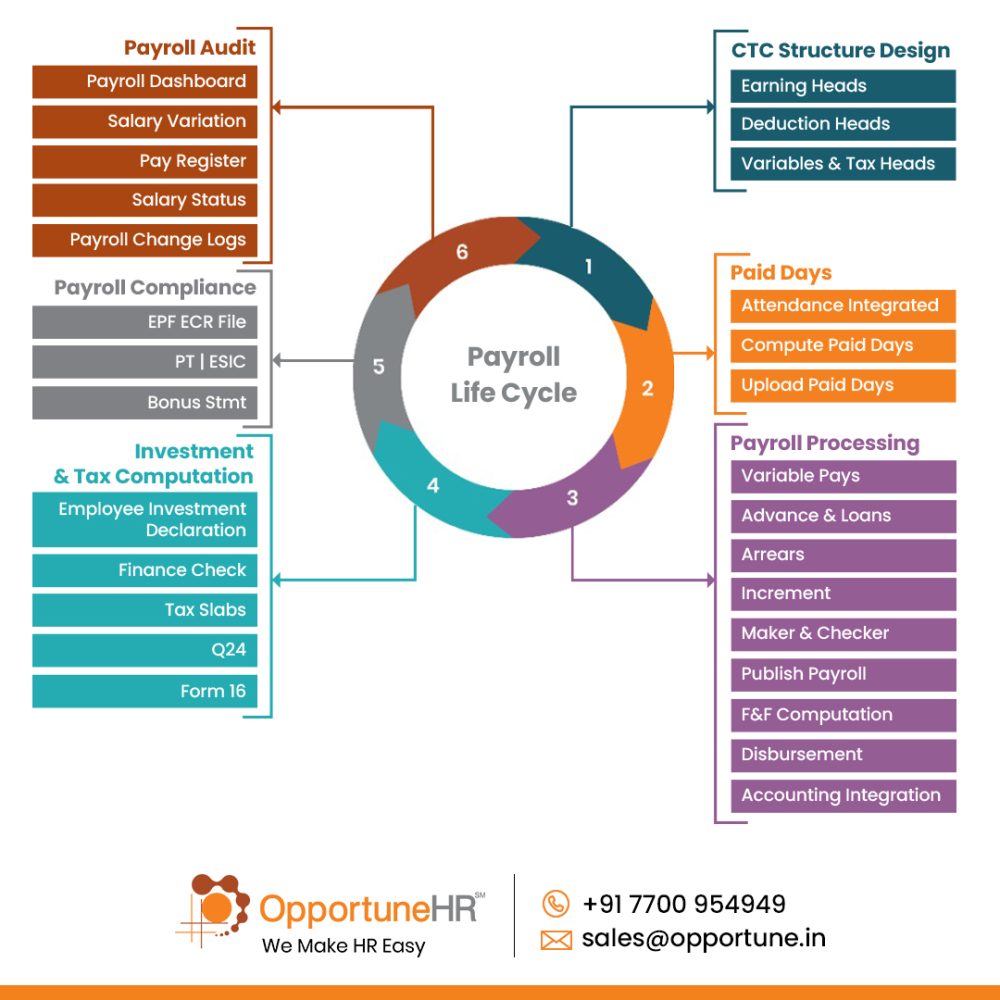
Here is a quick look at core steps in payroll processing:
- Collect employee information and tax forms
- Track time and attendance
- Calculate gross pay
- Make pre-tax and post-tax deductions
- Compute taxes and withholdings
- Net pay and disbursement
- Recordkeeping and reporting
- Filing and remitting taxes
- Compliance and audits
As the list above shows, payroll generation is a layered process with many departments and functions involved.
Manual payroll processing can’t handle these scenarios reliably. It is seen to be highly error-prone. That’s why companies of all sizes go for a payroll management software system.
And while talking about errors, even highly experienced payroll staff just can’t avoid them, because these errors happen in spite of all good intentions and alertness.
If you think manual payroll processing with spreadsheets and document uploads is good enough for your organisation, think again. Because many errors occur inadvertently in this kind of payroll generation.
How do errors creep into the manual payroll processing?
As an experienced payroll manager puts it–
‘Payroll with spreadsheet is risky. A single misplaced decimal, copied formula, or wrong cell reference can produce incorrect gross or net pay for many employees. Formulas that worked last month often break when rows are inserted, or columns are shifted.
Version control is a constant headache; there is no control over who can edit what, so multiple team members edit local copies, which creates conflicting files, resulting in lost updates or duplicated payments.’
This one quote sums up the risk that many business owners take with manual payroll calculations. Which might result in underpayment or overpayment. Both not acceptable.
This should convince them that payroll software is a must for their business, whatever the company size.
Here is a close view on various risks of manual payroll processing:
Manual payroll using Excel sheets and ad hoc tools is highly error-prone and fragile. Spreadsheets depend on human input at every step:
Manual payroll processing carries significant risks:
- Using Excel or manual records leads to errors in employee work hours, overtime rates, tax codes, and deductions.
- Incorrect formulas or misplaced decimals can cause wrong salary calculations. It is common, and leads to grave mistakes.
- Manual tax filings and updating tax tables by hand increase the chance of mistakes. It leads to penalties.
- Pay rules are complex, and are often overlooked by payroll teams
- It is not safe to store sensitive salary data in unsecured files or emails.
- Auditing becomes difficult because proper change histories are not available.
Tax and regulatory calculations add more risk:
Tax and regulatory compliance keeps changing. And even the most experienced compliance experts cannot remember everything. Truly speaking, it is a headache to follow ever-changing statutory compliance.
In the absence of payroll software, it is a really complicated task–
- Tax tables must be updated by hand; if a manager forgets a tax withholding rule, it can cause mistakes of under- or over-withholding.
- Complex pay rules like overtime, shift pay are hard to handle in spreadsheets.
- Reconciliations with the general ledger take a long time, and often payroll errors are discovered only after salary has gone out.
Security and auditability challenges:
- With spreadsheets it’s hard to prove who made the changes.
- Sensitive employee data in unlocked files or emails results in information leakage.
It’s not an overstatement to say that a panic ensues when mistakes are discovered. Tracking the mistake trail, fixing them manually, reissuing payslips… it’s better to be avoided.
So, any wise business person listens to his or her HR manager when he asks for a payroll software!
Now the question arises, if the task is so complex and error-prone–
How does payroll software work?

Or more specifically…
How a payroll management software simplify this complex process?
Payroll software does so by taking out manual tasks, and automates the entire payroll process–
First, it centrally stores employee details: names, tax IDs, pay rates, bank info, withholding choices, and benefits.
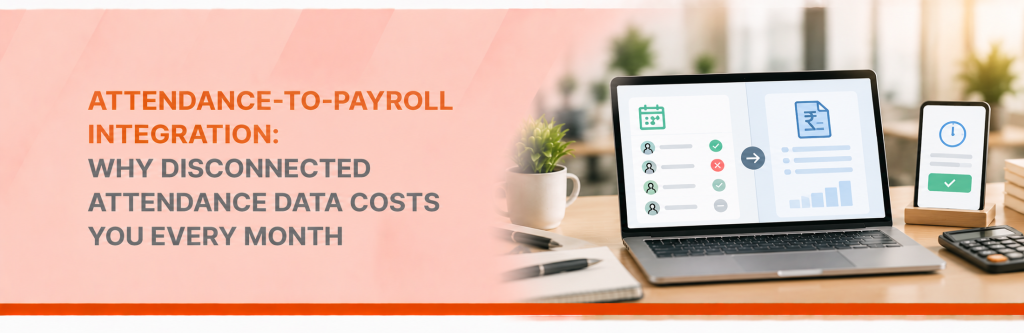
It then gathers actual work hours and leave data from integrated time tracking HR tools like attendance software.
On the basis of this information, it calculates gross pay. And does so by taking into account hourly rates, salaries, overtime, bonuses, and paid leave amounts.
Next it applies pay rules:
- Pre‑tax deductions like employer‑approved provident fund contributions
- National Pension System (NPS) contributions under Section 80CCD
- Employer‑approved health insurance premiums)
- Tax withholdings (income tax/TDS including cess and surcharge where applicable)
- Professional tax
- Employee’s share of Employees’ Provident Fund (EPF) contribution,
- Employee’s share of Employees’ State Insurance (ESI) contribution if eligible)
The payroll management software also keeps track of employer-related costs, such as tax contributions and benefit payments.
This ensures that overall totals are precise and reflect true expenses.
When payday arrives, the system handles the process of issuing direct deposits.
The task isn’t over yet for the payroll management software!
After disbursement of salaries, it generates detailed pay slips for employees.
Payroll software also prepares reports and tax forms, often files quarterly or year‑end returns automatically, and provides ready-to-file documents.
Overall, payroll software saves time, reduces mistakes, and keeps clear records for audits and employees.
Now another point to ponder:
While error-free calculations is easy to accept, the bigger question that plays on many HR people’s mind is–
Can a payroll system really automate taxes and compliance?
The answer is YES!
Let us show you–
How does payroll software help payroll teams with taxes, compliance, and regulations?
The short answer is– payroll management system simplifies these complex processes by automating calculations, recordkeeping, reporting, and compliance updates.
And here is a detailed breakdown of how payroll software helps —
- Accurate payroll tax calculations and withholdings:
- It automatically calculates central, state, and local income tax withholdings based on employee data, filing status and allowances.
- Calculates employer payroll contributions (e.g., employer PF, employer ESI) and splits employee/employer shares correctly.
- Applies pre-tax deductions (employee PF, NPS, health insurance premiums, travel allowances) correctly.
- Timely tax filings and payments:
- A payroll system files required payroll tax forms electronically (e.g., PF, ESI, TDS returns, Professional Tax) or prepares them for submission.
- It schedules and initiates tax deposits to central and state agencies by required due dates to avoid late payments.
- Maintains proper payroll payment records. It tracks payment history and confirmations to demonstrate timely compliance.
- Automated tax table and regulation updates:
- Receives automatic updates for changes in tax rates, withholding tables, local regulations, sick-leave rules, and other legal adjustments, so calculations remain current.
- Reduces risk from human error or outdated tables that cause withholding errors or penalties.
- Accurate recordkeeping and documentation:
- Keeps secure electronic records of payroll runs, tax filings, pay slips, and tax payments as per the legally required duration.
- Produces audit-ready reports like payroll registers, tax liability summaries, to support audits or tax inquiries.
- Compliance with local, state, and central regulations:
- When a company has employees in different states or cities, a payroll system applies the appropriate local tax rules, minimum wage, and paid-leave laws.
- Enforces Indian labour law requirements such as overtime calculations under the Factories Act and relevant Shops and Establishments Acts. Takes into account the employee classification for applicability of wage and hour rules (e.g., managerial/supervisory exemptions vs. regular employees).
- Payroll software also ensures salary compliance with statutory rest, break and meal period provisions (e.g., daily and weekly hours limits, intervals under the Shops and Establishments Act or state rules), where supported.
- Reporting and year-end forms:
- Prepares and distributes employee tax documents and submits required employer filings electronically.
- Provides summaries for tax advisors or chartered accountants for the purpose of year-end reconciliation and corporate tax preparation.
The above points show conclusively that a payroll management software is a big help to HR and payroll teams.
If you are wondering, a payroll system with Employee Self Service also helps the company employees in so many ways.
How does payroll software helps employees?
Payroll software with ESS and mobile access is a great blessing for employees as well as HR team:
- Faster, accurate pay: Automated calculations reduce mistakes and ensure timely salary payments.
- Instant salaryslip access: Employees can view and download electronic payslips anytime via ESS.
- Easy tax management: Correct tax withholdings and automated tax forms lower errors and filing hassles.
- Quick personal updates: Employees can update bank details, address, and tax status directly in ESS without HR back-and-forth.
- Transparent pay history: An employee can view year-to-date earnings, deductions, bonuses, and benefits in one place. Whenever they want!
- Faster expense reimbursements: Employees can submit claims and receipts online for quicker approval and payout.
- Integrated leave and attendance: When payroll and attendance are integrated, it ensures accurate overtime, leave balances, and timesheets sync with payroll to prevent underpayment.
- Mobile access: Employees can check salaries, request changes, and approve workflows from a phone—useful for remote employees. And field staff who are often away from the office.
- Faster dispute resolution: Digital records and audit trails make it easier to resolve payroll questions quickly.
By now you must be convinced that a payroll management platform is a need for all growing companies.
Factors to consider when choosing payroll software for your company
Let us segregate this important matter in 2 parts.
- Which kind of payroll software should you choose for your company?
- What all key features you should look for in your payroll software?
What are different kinds of payroll software?
Here are various kinds of payroll solutions available for you in the marketplace–
Payroll software falls into several types based on deployment, scope, target company size, and feature set.
Each type suits different needs, budgets, and compliance requirements.
Desktop payroll software
These are payroll software installed on individual computers or a local workstations. With access only to the payroll admins these desktop payroll handles calculations, salary slips, and tax forms offline.
Though limited in their scope these are popular among small businesses with simple payroll needs and strict offline data requirements.
These software do not provide real automation as they work with manual upload of spreadsheets and other documents.
Cost effective for small companies, but can’t handle growth. And are prone with tax calculations and compliance errors.
On-premise systems on company-owned server
These are installed and hosted on an organisation’s own servers and IT infrastructure.
This is capital intensive and needs a strong IT team. But gives you control over payroll data, custom integrations with internal systems (ERP, HRIS, time clocks), and the flexibility to tailor workflows, reports, and compliance rules to specific business needs.
It’s well suited to large enterprises, regulated industries, or organisations with strict data and security policies.
So these are not popular among SME and startup organisations.
Cloud Server Payroll Software:
As the name suggests, in such payroll management systems the data remains on secure cloud servers, specialised for this purpose.
These are hosted and managed by payroll software vendors. And can be used by client company employees from any device with an internet connection.
Cloud payroll software can automate end to end payroll processes– Like wage calculations, tax withholdings, deductions, payslips and direct deposits. And can also keep records updated with regulatory changes.
These solutions are extremely popular and effective for small to medium-sized enterprises (SMEs).
Because they eliminate the burdens associated with server maintenance and technology upgrades, yet provide all the benefits of a company-server-based cloud payroll software system.
What key features to look for in a payroll software or payroll management system?
If you choose to have a desktop software with limited scope of functionality, there isn’t much choice for advanced features.
But if you choose to go for an in-house server or cloud based HR payroll software, you must demand for these features–
Here are the essential payroll software features which must be there to ensure accurate, compliant, and efficient salary processing.
Core payroll processing
- Automated salary calculations: gross-to-net computation including allowances, deductions, overtime, and variable pay (bonuses, commissions).
- One-click payroll generation
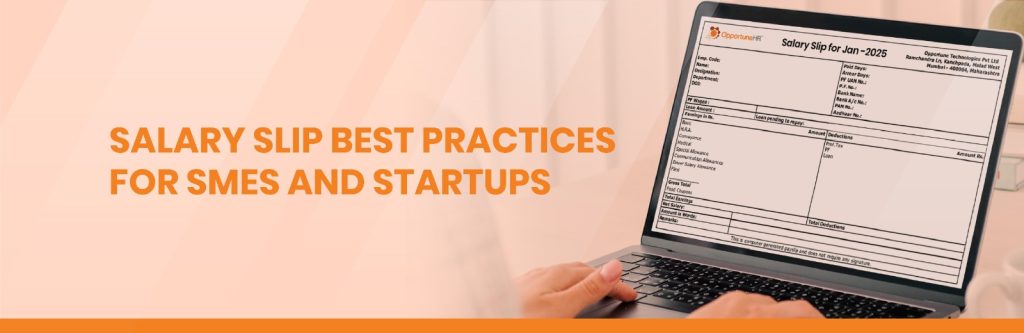
- Pay register and payslip generation: printable and downloadable salary slips as per salary slip best practices, consolidated pay registers.
Compliance & taxation
- Up-to-date statutory compliance: Automatic updates for PF, ESIC, Professional Tax, gratuity rules, labour regulations.
- Tax computation & forms: Tax calculations for old/new regimes, TDS calculations, Form 16 generation, quarterly TDS reports.
- Compliance reports & challans: PF/ESIC/PT registers and bank/payment-ready challans.
Rule Engines & flexibility
- Highly configurable salary structures: ability o configure for grade/role-based pay templates, Flexi-CTC, multiple earning and deduction heads.
- Custom compensation rules: adhoc payments, arrears, increments, loans and advance repayment schedules, full & final settlement.
- Multi-pay schedules: support for monthly, bi-weekly, weekly payrolls and off-cycle payments.
Data collection & validation
- Integration with attendance and leave systems: It auto-imports HRMS attendance to calculate working days, overtime, and leave encashment.
- Self-service inputs: Fetches employee investment declarations, expense claims, advance salary and loan requests
- Validation workflows: System triggeres alerts for missing or inconsistent data.
Approval, control & audit
- Payroll controller & salary lock: Ability to review, lock payroll, and treat post-lock changes as arrears for next cycle.
- Audit trails & versioning: Change logs for salary components and approvals for traceability.
- Role-based access control: Different permissions for payroll, HR, finance, and management.
Accounting & bank integration
- JV and accounting exports: Mapping payroll heads to cost centers and exporting journal vouchers to Tally, SAP, or other ERPs.
- Bank disbursement files: Salary upload files, reconciliation aids, and status tracking (released/held/F&F).
- API & import/export: APIs for direct posting and simple Excel import/export options.
Reporting & analytics
- Payroll dashboard: At-a-glance metrics — new joiners, exits, arrears, increments, monthly comparisons, payroll trends.
- Cost analysis: Department/center-wise payroll cost, headcount trends, earnings vs deductions breakdown.
- Non-compliance reporting: Alerts and reports highlighting statutory or process non-compliances.
Employee experience
- Employee self-service portal & mobile app: Payslips, Form 16, tax calculator (old-new regimes), attendance-leave regularization, expense claims.
- Notifications: Automated emails or WhatsApp messages for payslip release, investment reminders, and approval requests.
Implementation & support
- Implementation services: Configuration for client-specific rules, data migration, and user training.
- Ongoing support & updates: Tele-support, helpdesk, and regular updates for compliance changes.
FAQs About Payroll Management Software
01
Is it necessary to integrate payroll with HR and accounting systems? Yes — payroll software integration with HR and accounting system is highly recommended for accuracy, compliance, and efficiency.
Connected systems sync employee data, time records, benefits, and pay rates to eliminate manual entry and reduce errors.
02
What is payroll outsourcing? - Payroll outsourcing is hiring an external provider to handle some or all payroll-related tasks for your business.
These tasks typically include–
- calculating wages and deductions, processing pay runs, issuing payslips,
- filing and remitting payroll taxes, managing statutory reports and year-end forms,
- handling payroll compliance and sometimes maintaining payroll records and providing employee self-service portals.
Common types of payroll outsourcing:
- Full-service payroll: the provider manages the entire payroll process end-to-end.
- Partial outsourcing: the provider handles specific tasks (e.g., tax filings or payroll processing) while you retain others.
- Managed payroll plus HR services: payroll is bundled with HR administration, benefits administration, timekeeping integration, or employee onboarding.
03
Do you offer free trial for payroll software?Payroll management needs good implementation and software configuration. These demands good amount of time, expertise and training.
So it is not advisable to offer or receive such free trial. We believe in quality implementation and delivery and do not offer such trials.


 Visited 346 times